Access

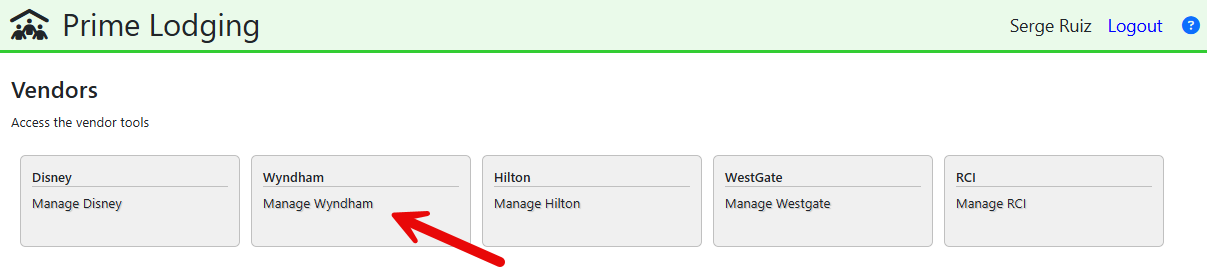
Go to Vendors

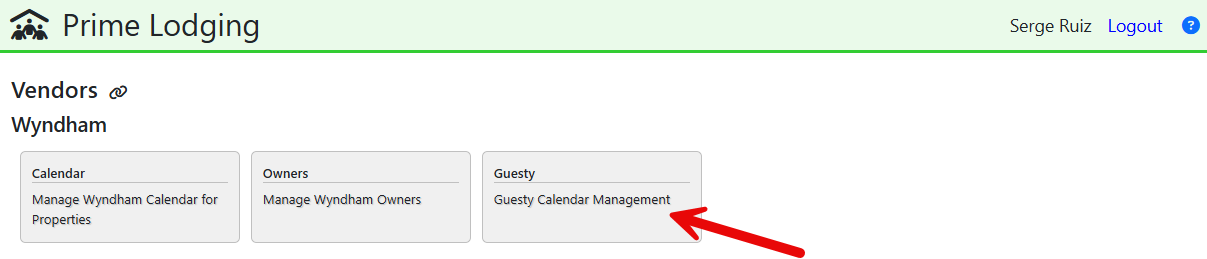
Go to Wyndham

Wyndham and Guesty

Pick Guesty

Guesty

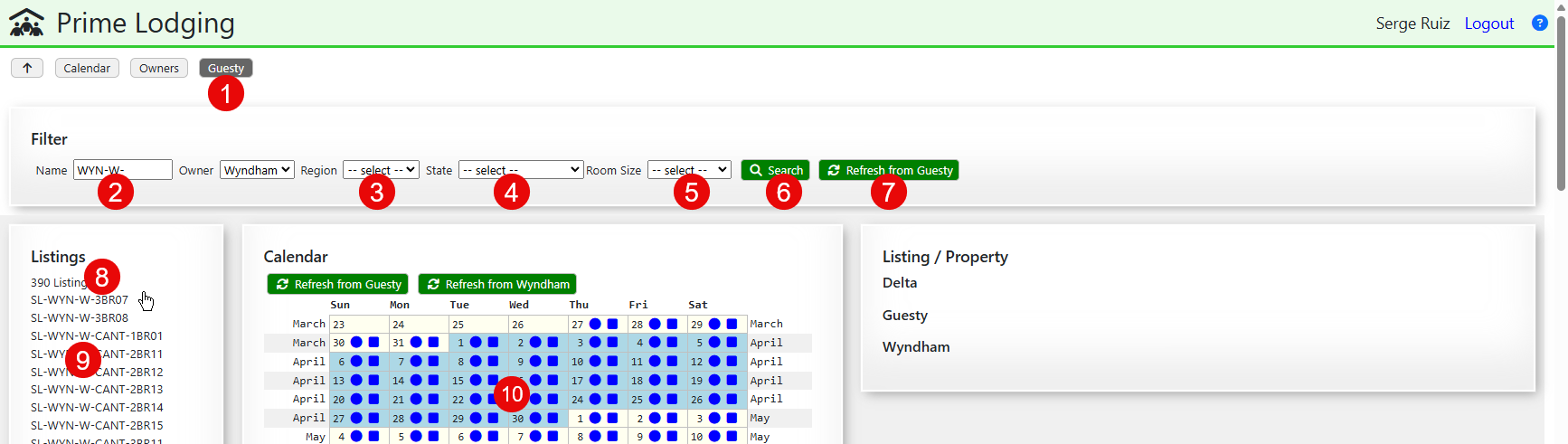
  1. You can change among the 3 pages dealing with Wyndham from the menu.
  2. [optional] Use partial name of Guesty codes
  3. [optional] Pick a region
  4. [optional] Pick a State
  5. [optional] Pick a Room Size
  6. Click to pull the list of matching listings
  7. Click to refresh the list of listings from Guesty - this is heavy, don't use
  8. Number of Guesty Listings under the active filter
  9. List of Guesty Listings - click to select
  10. Empty calendar:
    • The start date is the last Sunday from today
    • Blue means "no data"
    • Each month is in an alternate color and the month name is in the margin
    • Circles show the availability in Guesty
    • Squares show the availability in Wyndham

Pick a Guesty Listing...

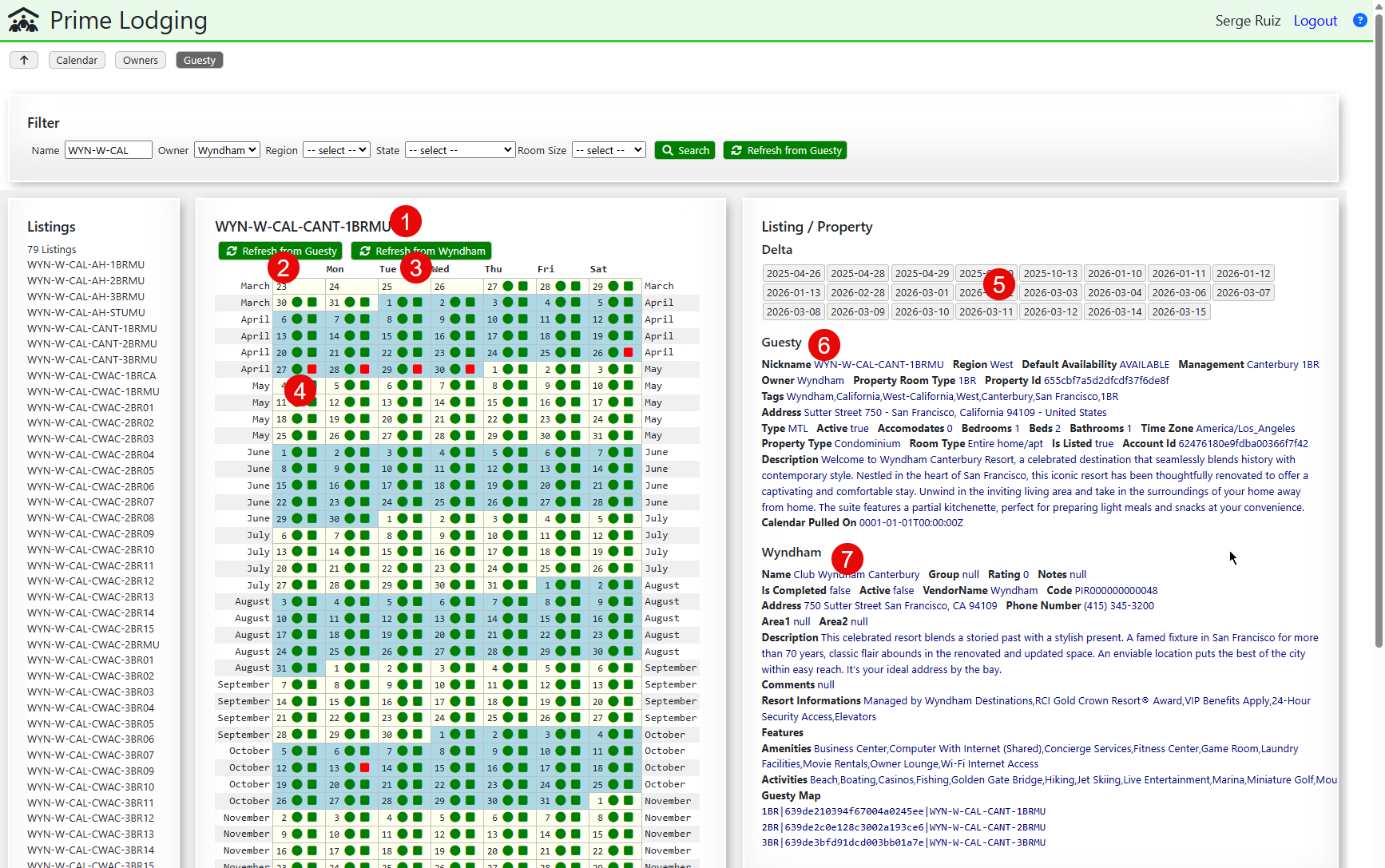
  1. Code of the Guesty Listing
  2. Makes a call to Guesty to update the calendar for the active Listing
  3. Makes a call to Wyndham to update the calendar for the matching Property
    • This is not fully connected yet, mainly because it requires sharing an active Wyndham Owner, which is done in the Calendar page
    • At the moment, refresh the Wyndham calendar from the Calendar page, then come back here - use 2 tabs for better efficiency
  4. Availabilities are show side-by-side
  5. List of Date for which the availability is different
  6. Details of the Guesty Listing
  7. Details of the Wyndham Property
©2026 - Prime Lodging